StableSteering
Interactive steering for diffusion image generation, from a user text prompt to preference-guided refinement.
Docs Site · Quick Start · Configuration Manual · Student Tutorial · User Guide · Developer Guide
What It Is
StableSteering is a research-oriented system for interactive image generation with diffusion models.
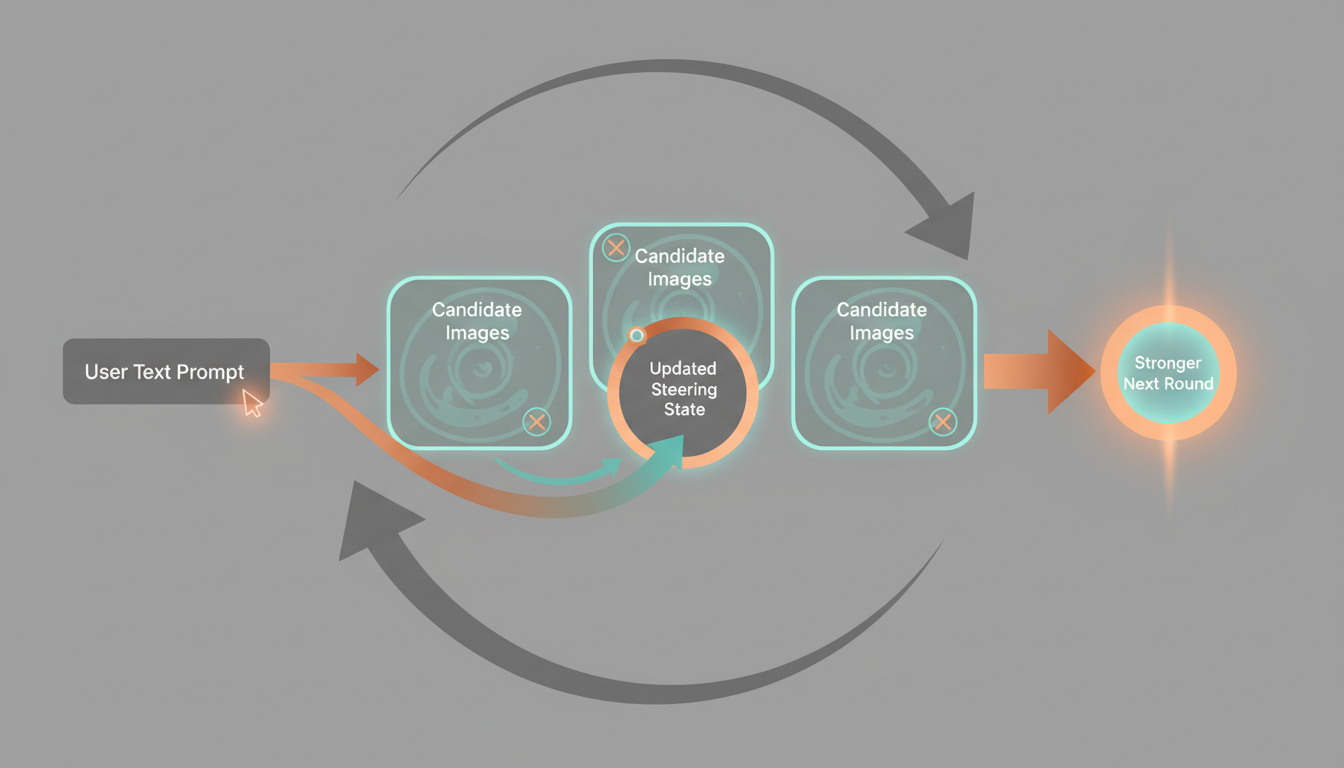
Instead of relying on one-shot prompt rewriting, the system starts from a user text prompt, proposes multiple candidate directions, records user preferences, updates an internal steering state, and generates the next round from that evolving state.
The current repository includes both:
- the original specification and research documents
- a runnable FastAPI-based MVP with a real GPU-backed Diffusers backend
- Gemini-generated visual assets used to make the Markdown and HTML docs easier to learn
Why It Matters
Text-to-image generation is powerful, but creative control is still awkward in practice. Users often know which result is better before they know how to rewrite the prompt that would produce it.
StableSteering is built around that gap. It turns generation into a feedback loop:
- start from a text prompt
- generate candidate images
- capture user preference
- update steering state
- generate a stronger next round
That makes the project useful both as:
- a research platform for studying human-in-the-loop steering
- a concrete prototype for interactive generative workflows
Current MVP
The current system includes:
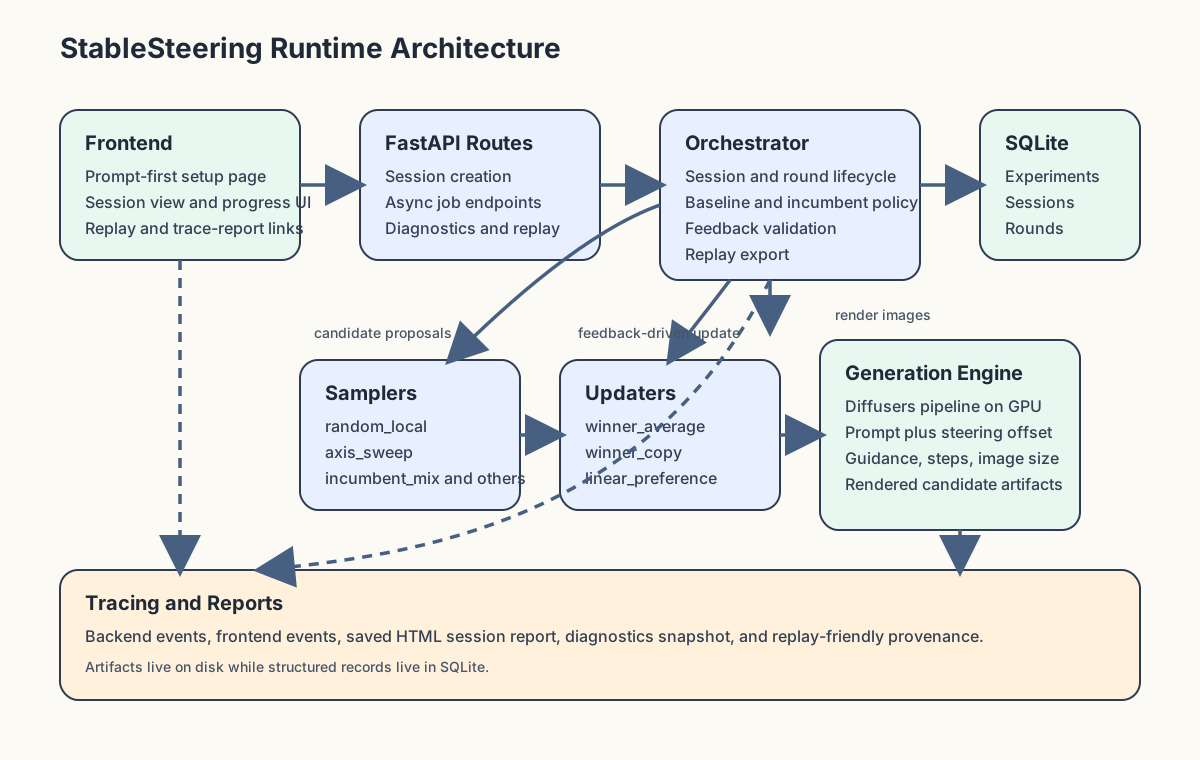
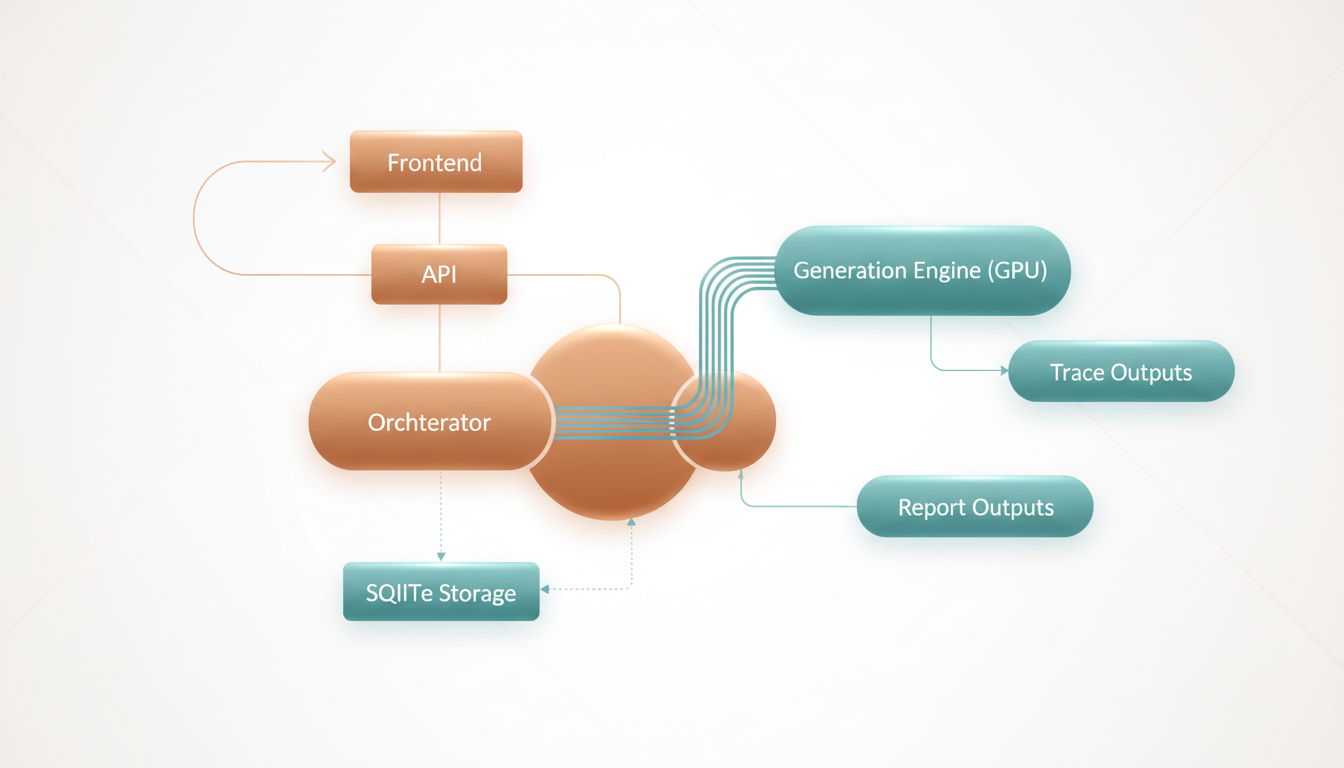
- a FastAPI backend for experiments, sessions, async jobs, replay, diagnostics, and trace reporting
- a real Diffusers-backed runtime on GPU by default
- a mock generator reserved strictly for tests
- SQLite-backed local persistence
- backend and frontend tracing with per-session HTML reports
- browser and backend test coverage
- a real GPU-backed example-run generator with standalone HTML output
Example artifacts checked into the repo:
User Flow
The main workflow is prompt-first:
- the user opens
/setup - enters a text prompt
- optionally edits the per-session YAML configuration
- creates a session
- generates a round of candidate images
- submits explicit feedback for the active mode
- waits for the async update job to finish
- inspects replay and the saved trace report
The normal runtime is GPU-only and uses the real Diffusers backend. If CUDA is unavailable, the app refuses to start instead of silently falling back.
Getting Started
Install the project:
python -m pip install -e .[dev,inference]
Prepare model assets:
python scripts/setup_huggingface.py
Run the app:
python scripts/run_dev.py
Open:
http://127.0.0.1:8000
Helpful pages:
http://127.0.0.1:8000/setuphttp://127.0.0.1:8000/diagnostics/viewhttp://127.0.0.1:8000/sessions/{session_id}/trace-report
Read Next
Recommended reading order:
- Motivation
- Student Tutorial
- Theoretical Background
- System Specification
- System Test Specification
- Pre-Implementation Blueprint
- Quick Start
- Configuration Manual
- System Improvement Roadmap
- Research Improvement Roadmap
Additional docs:
Run Tests
Backend tests:
python -m pytest
Browser tests:
npm install
npm run test:e2e:chrome
Headed browser debug:
npm run test:e2e:debug
Real model smoke:
python scripts/smoke_real_diffusers.py
Real end-to-end example bundle:
python scripts/create_real_e2e_example.py
Checked-in sample bundle:
Repo Guides
Per-folder documentation is available in:
- docs/README.md
- app/README.md
- tests/README.md
- scripts/README.md
- data/README.md
- models/README.md
- output/README.md
Banner Asset
The README banner is stored at docs/assets/readme_banner.png.
It can be regenerated with:
python scripts/generate_readme_banner.py
The generation script expects GEMINI_API_KEY in the environment and uses the official Gemini image-generation API.
Diagrams And Illustrations
The documentation layer can include Gemini-generated illustrations to make the Markdown and published HTML easier to scan.
Current visual assets include:
- docs/assets/readme_banner.png
- docs/assets/illustrations/steering_loop.png
- docs/assets/illustrations/system_architecture.png
- docs/assets/illustrations/trace_report.png
- docs/assets/illustrations/runtime_flow.svg
- docs/assets/illustrations/session_lifecycle.svg
- docs/assets/illustrations/feedback_modes.svg
- docs/assets/illustrations/config_to_generation.svg
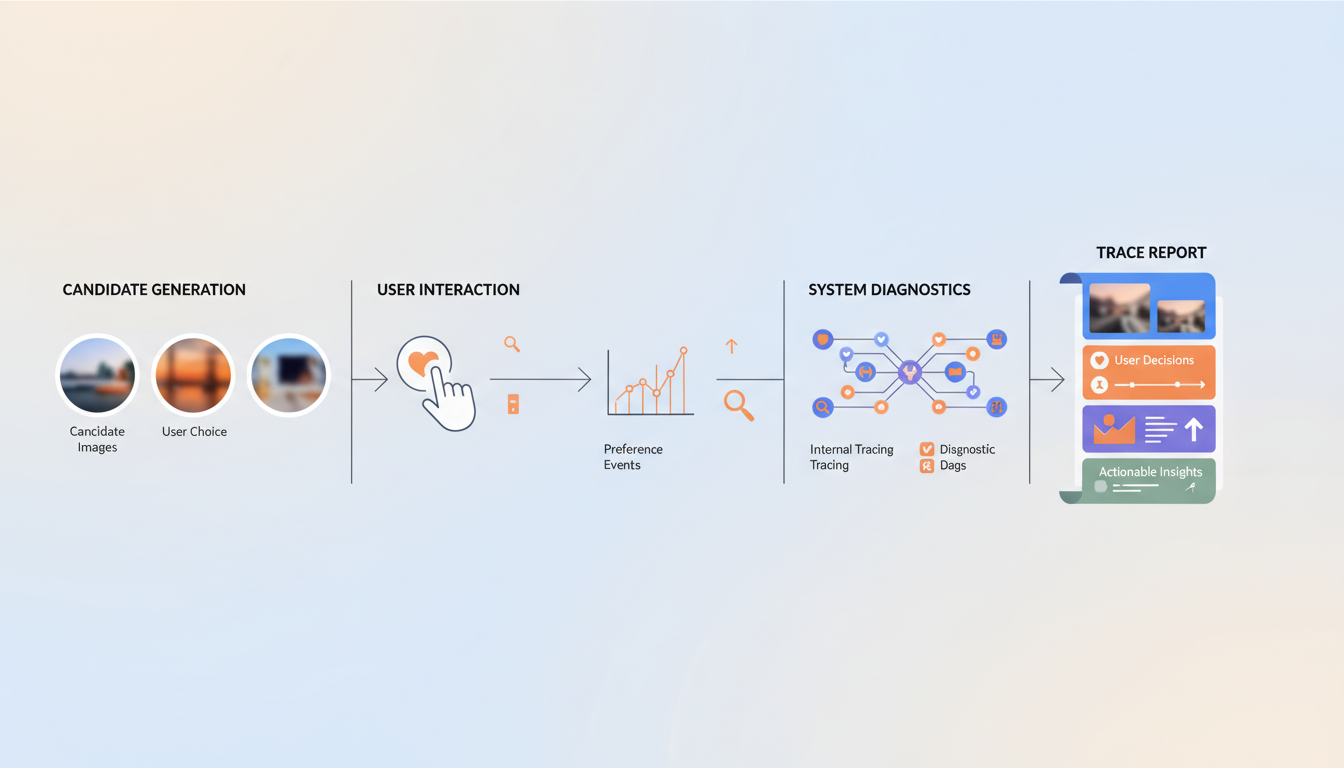
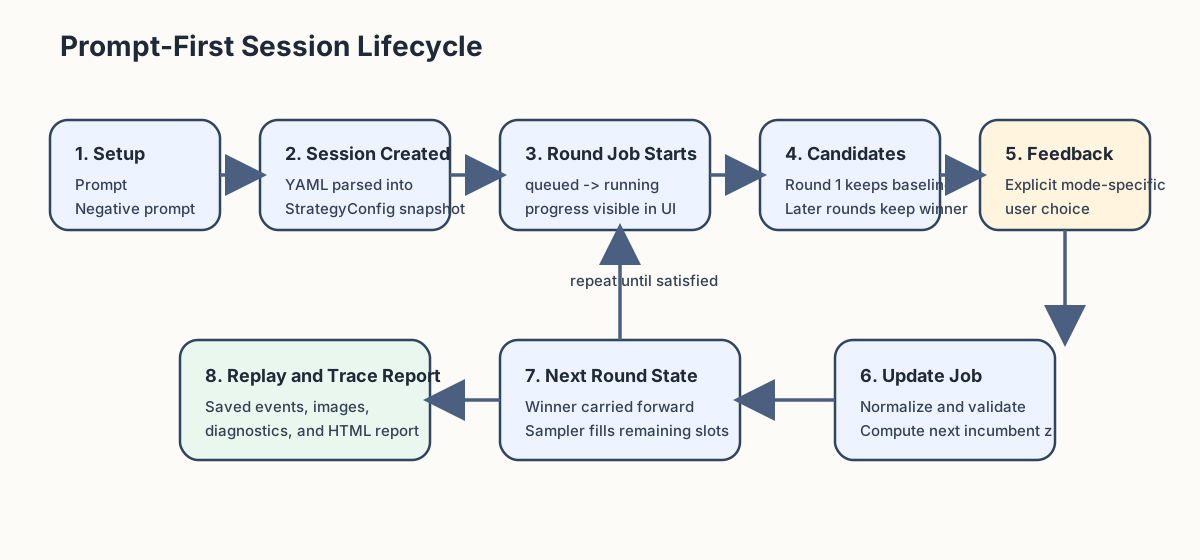
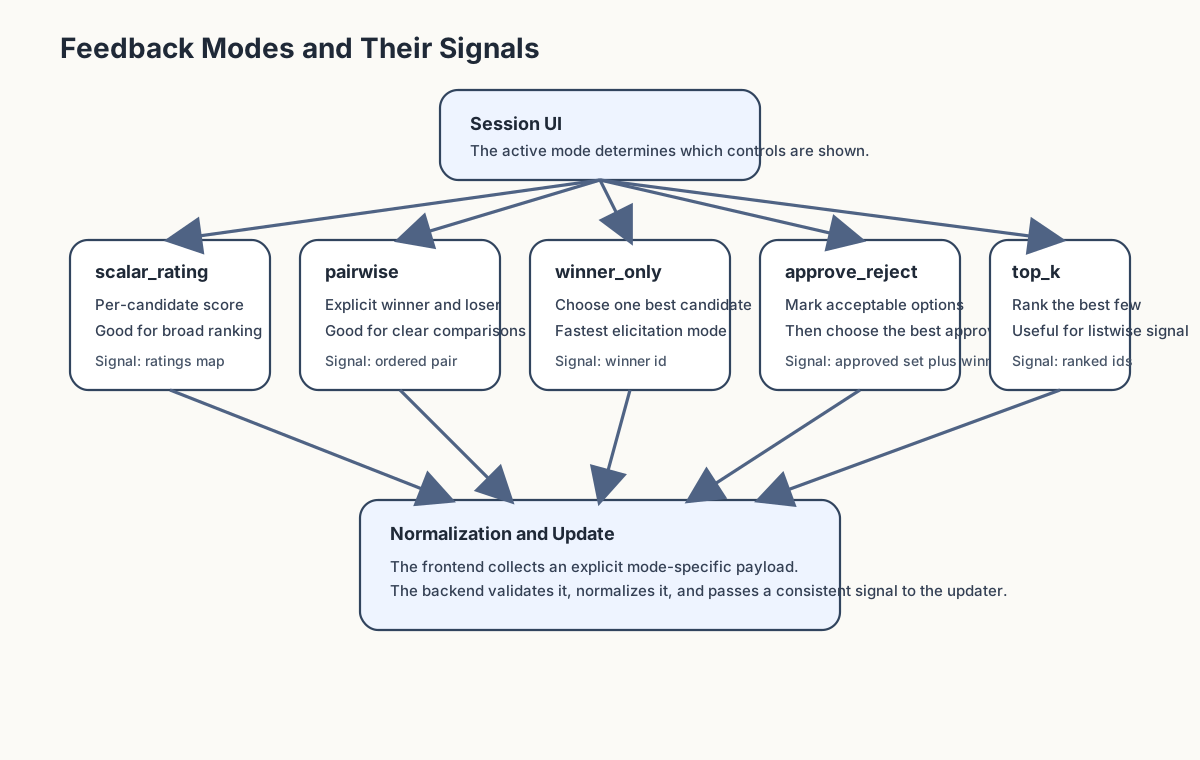
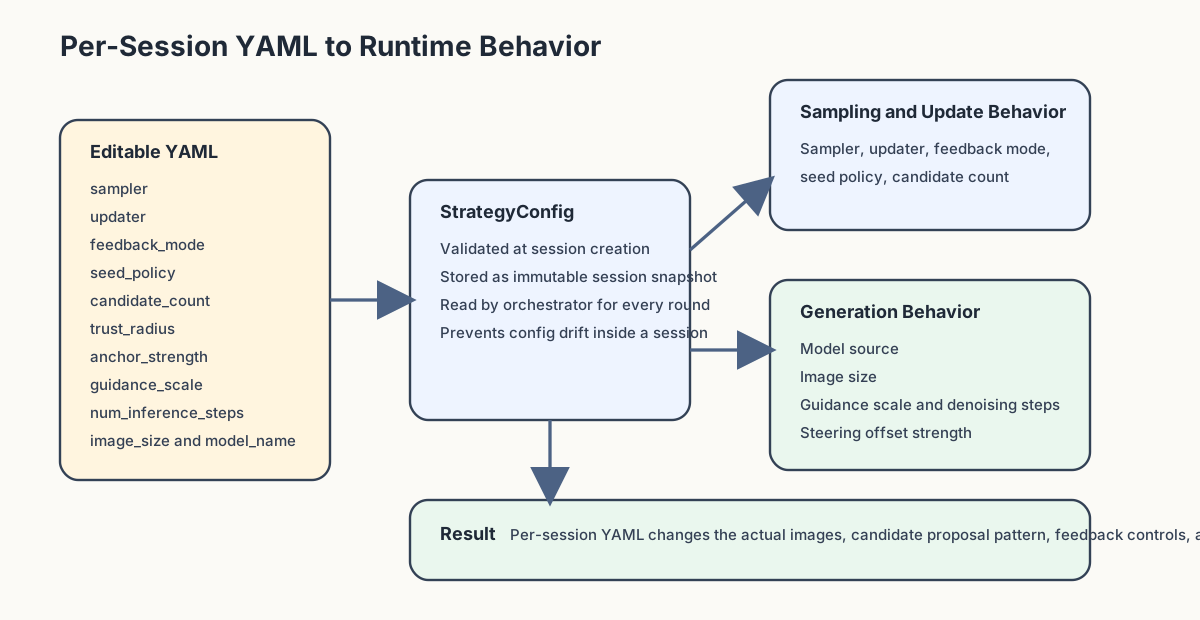
They can be regenerated with:
python scripts/generate_readme_banner.py
python scripts/generate_doc_illustrations.py
The Pages builder copies these assets into the generated HTML site automatically.
Legacy Source
The original combined specification is preserved as: